For card breakers and live sellers
The sales board your stream deserves.
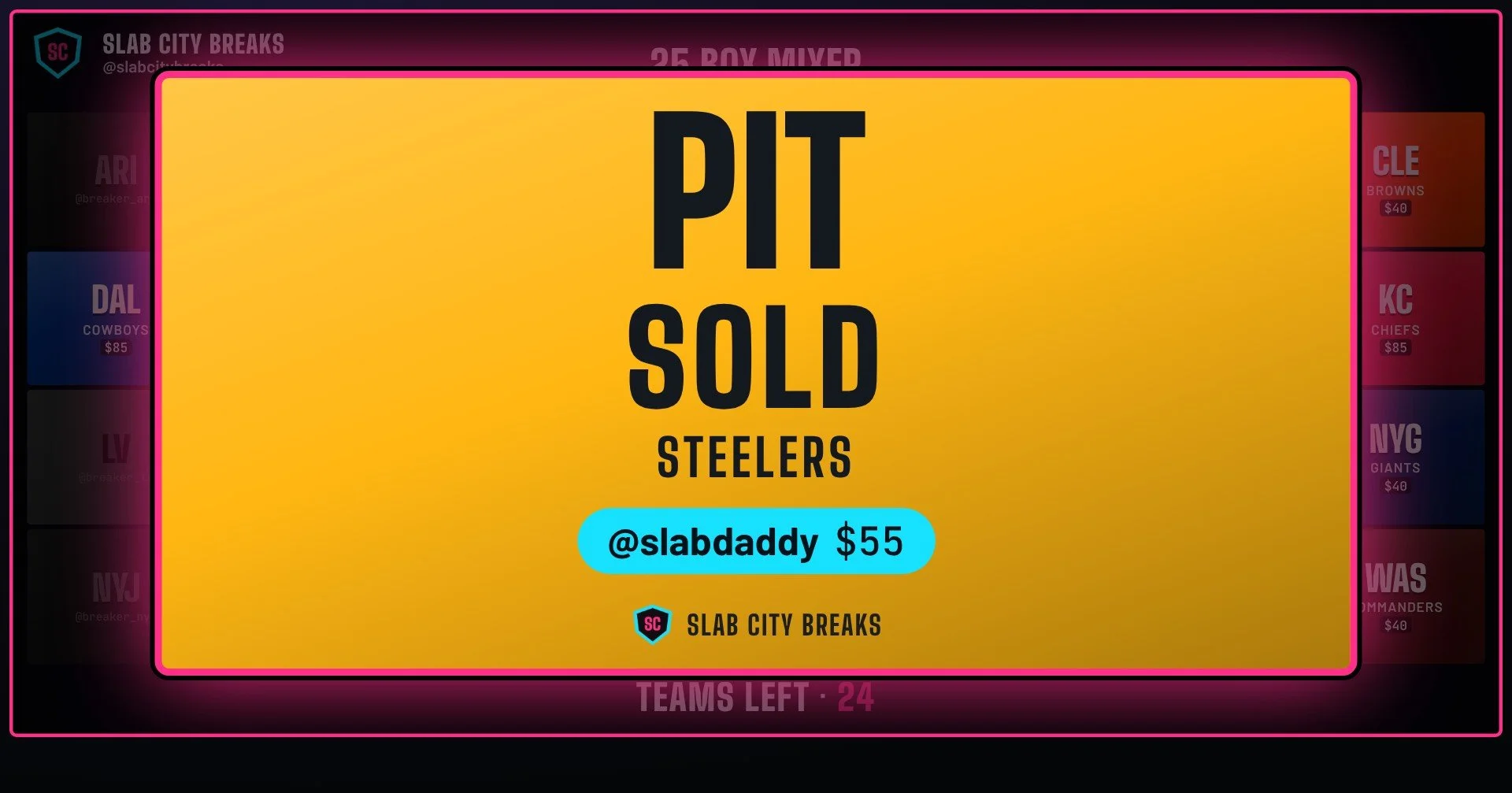
BreakBoard XStream puts a live, good-looking board on your stream through OBS. Mark a spot sold and your viewers see it instantly, with a big SOLD moment, flash sales and a SOLD OUT finish. No more updating a spreadsheet in the middle of a break.
One-time payment, no subscription. Mac and Windows.
Why breakers use it
Run the break. Not the spreadsheet.
Sold, on stream, instantly
Click the spot or tap a hotkey and the board updates on stream. Nothing to retype, nothing to refresh.
Double-sold spots
The control panel shows what's sold, who bought it and for how much. Made a mistake? Undo takes one key.
Every sale is a moment
A big SOLD card with the buyer's name hits the screen on every sale, so chat sees the action and wants in.
What you get
Everything a live break needs
Every board you run
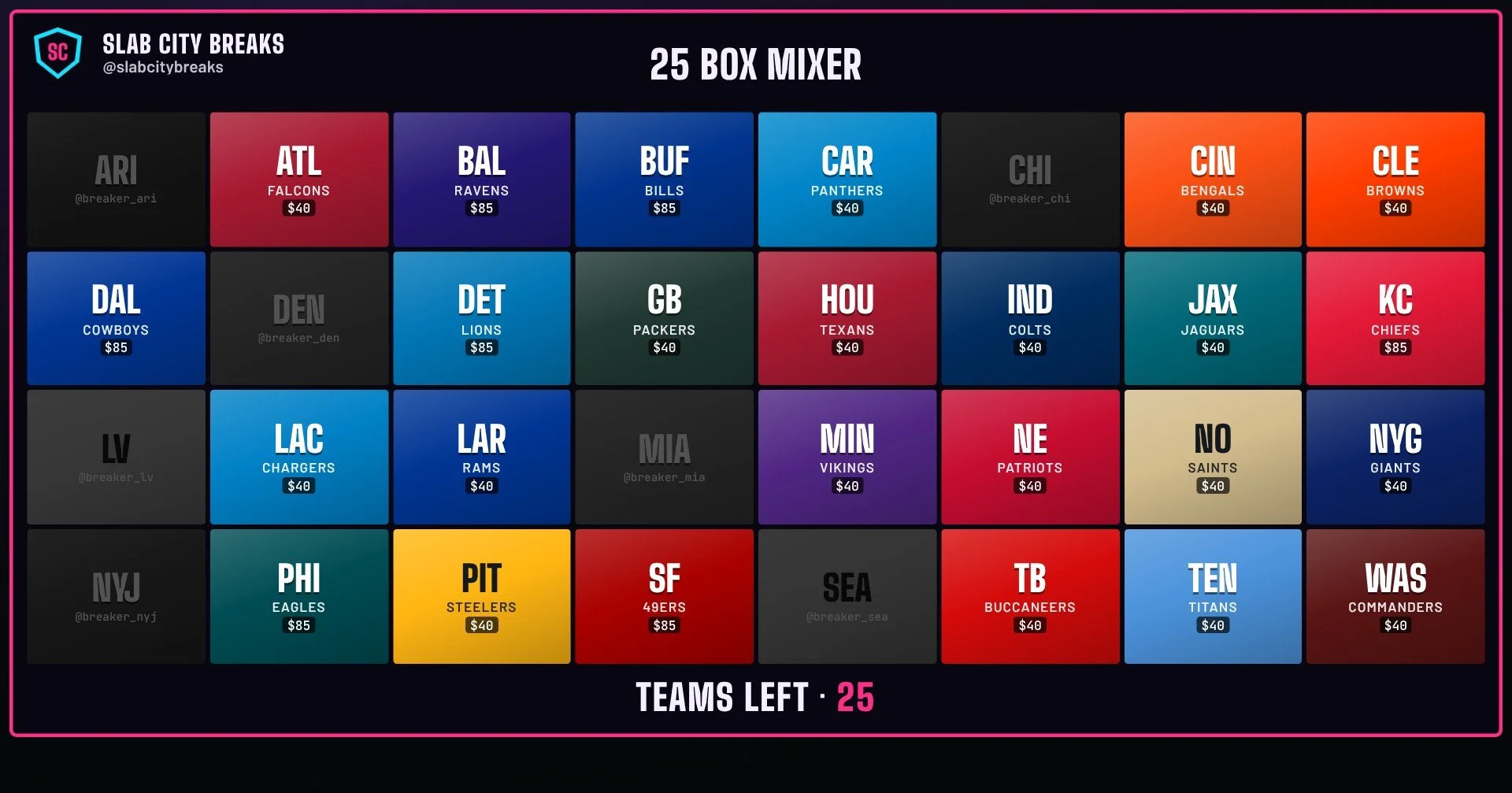
Pick-your-team boards for the NFL, NBA, MLB and NHL are ready to go. Each one remembers its own prices, colors and images.
- Different prices for different teams
- Big tiles that dim the moment a team sells
- A "teams left" counter that keeps chat moving
Custom boards for anything you sell
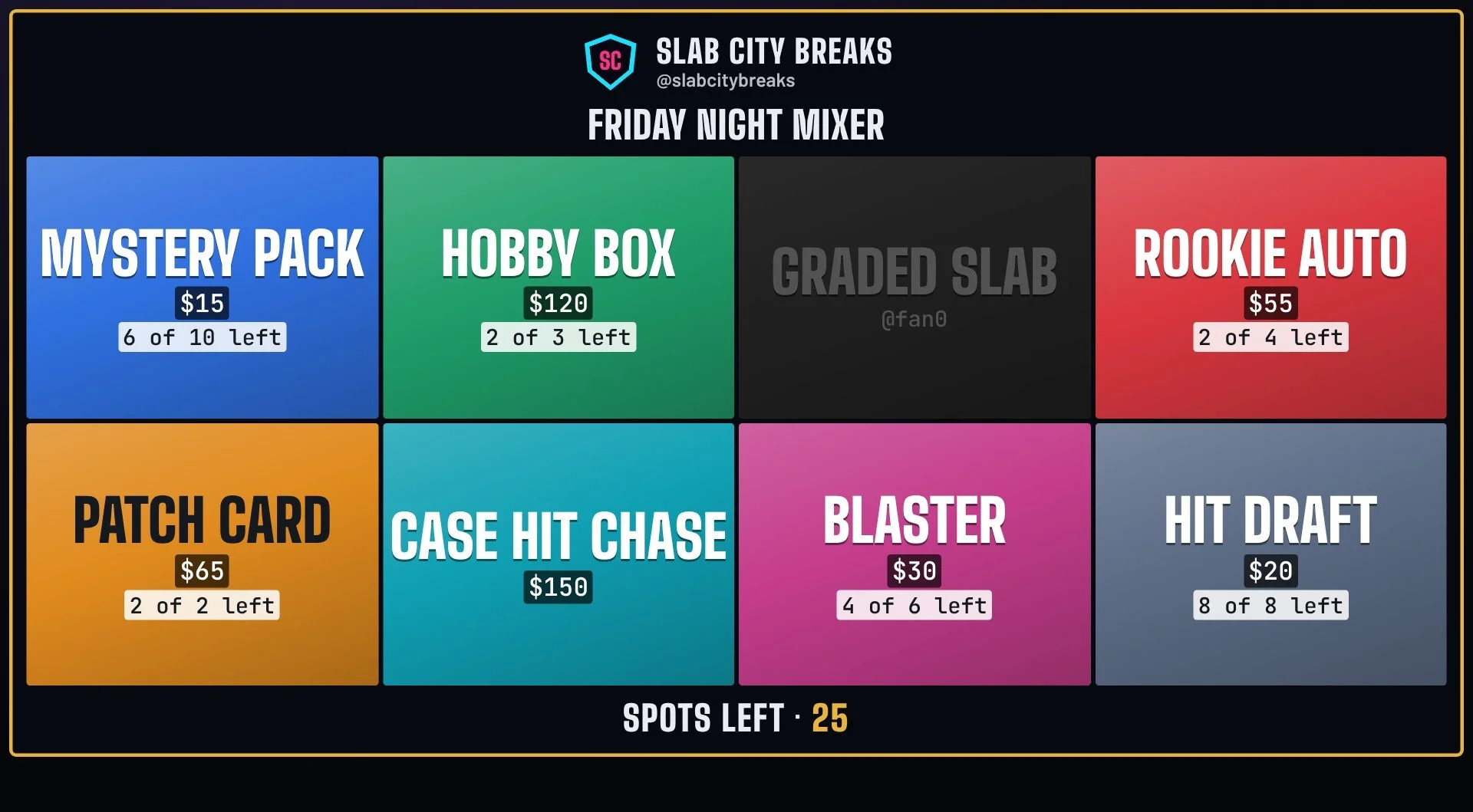
Mixers, mystery packs, hit drafts, numbered spots. Free gives you a 6-spot custom board to make your own. Pro goes up to 150 spots, with quantities, pasted lists and numbered spots in one go.
- Sell the same spot more than once with quantities ("6 of 10 left")
- Your own labels, prices and colors
- Paste a list or make spots 1 to 50 in one go (Pro)
Hype clips on a hotkey
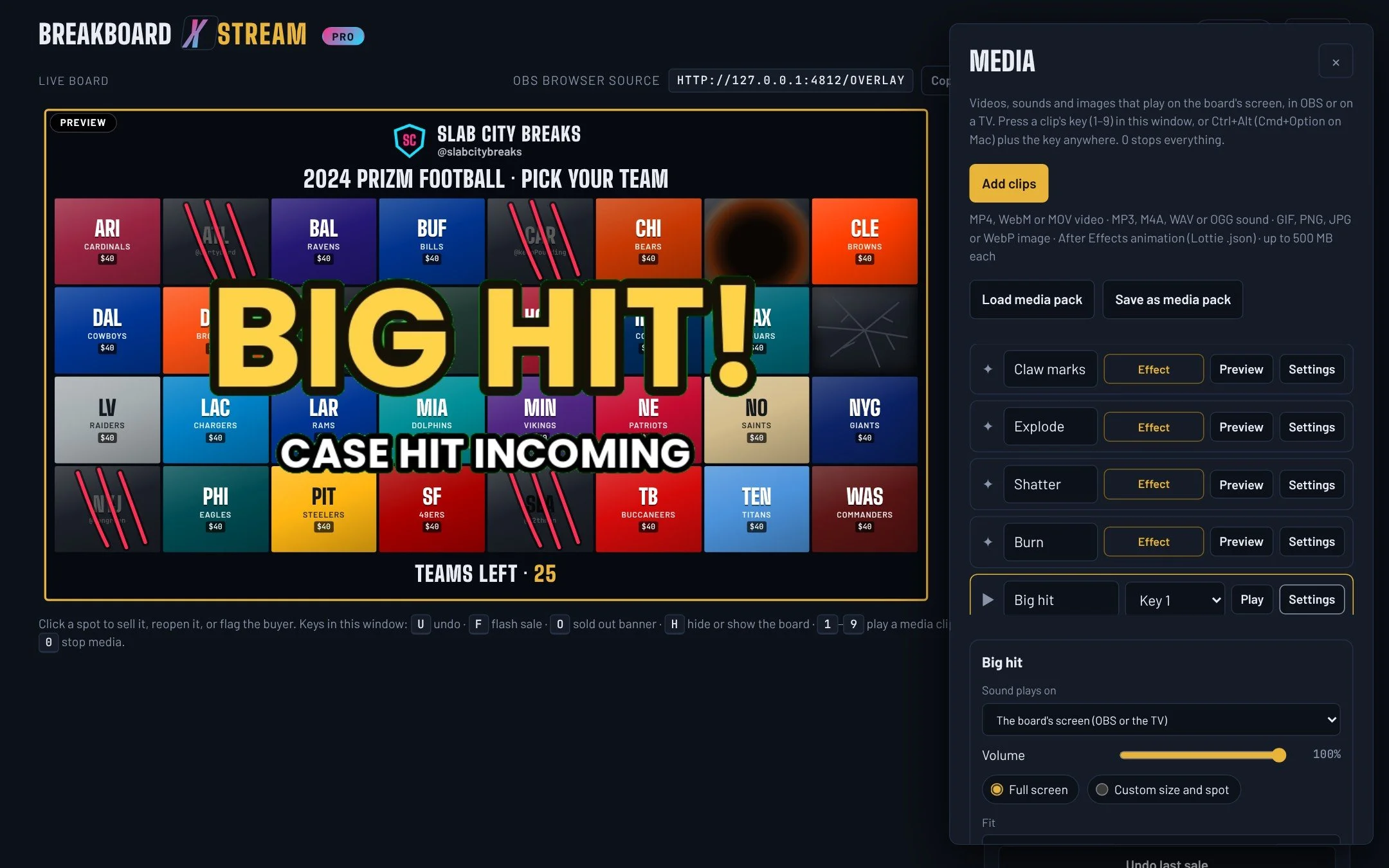
Play your own videos, sounds and After Effects animations on stream with one key. Green screen clips drop right over the board, and clips can fire on their own when a spot sells or the board sells out.
- Keys 1–9, even while OBS is in front
- Green screen removal, full screen or any size and spot
- Play automatically on every sale or on sold out
- Save and load whole sets as media packs
Sale effects that hit different
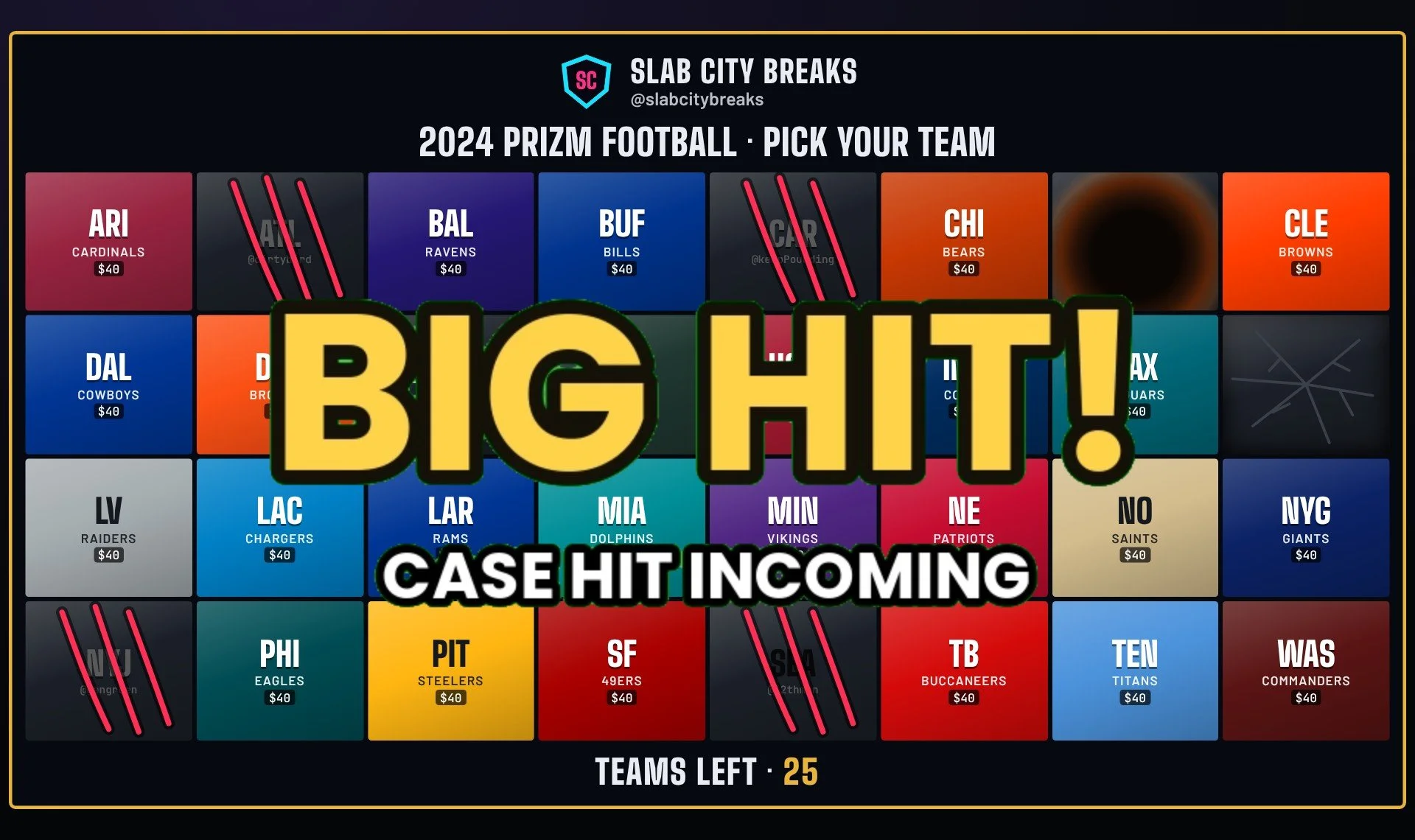
Claw marks rake across a tile the moment it sells. Tiles explode, shatter or burn away, and the marks stay on the board. Set a different effect for any tile, with effect packs you can add to Pro.
- One effect per tile, plus a default for the rest
- Play before the SOLD card, with it, or instead of it
- Marks stay on sold tiles for the rest of the break
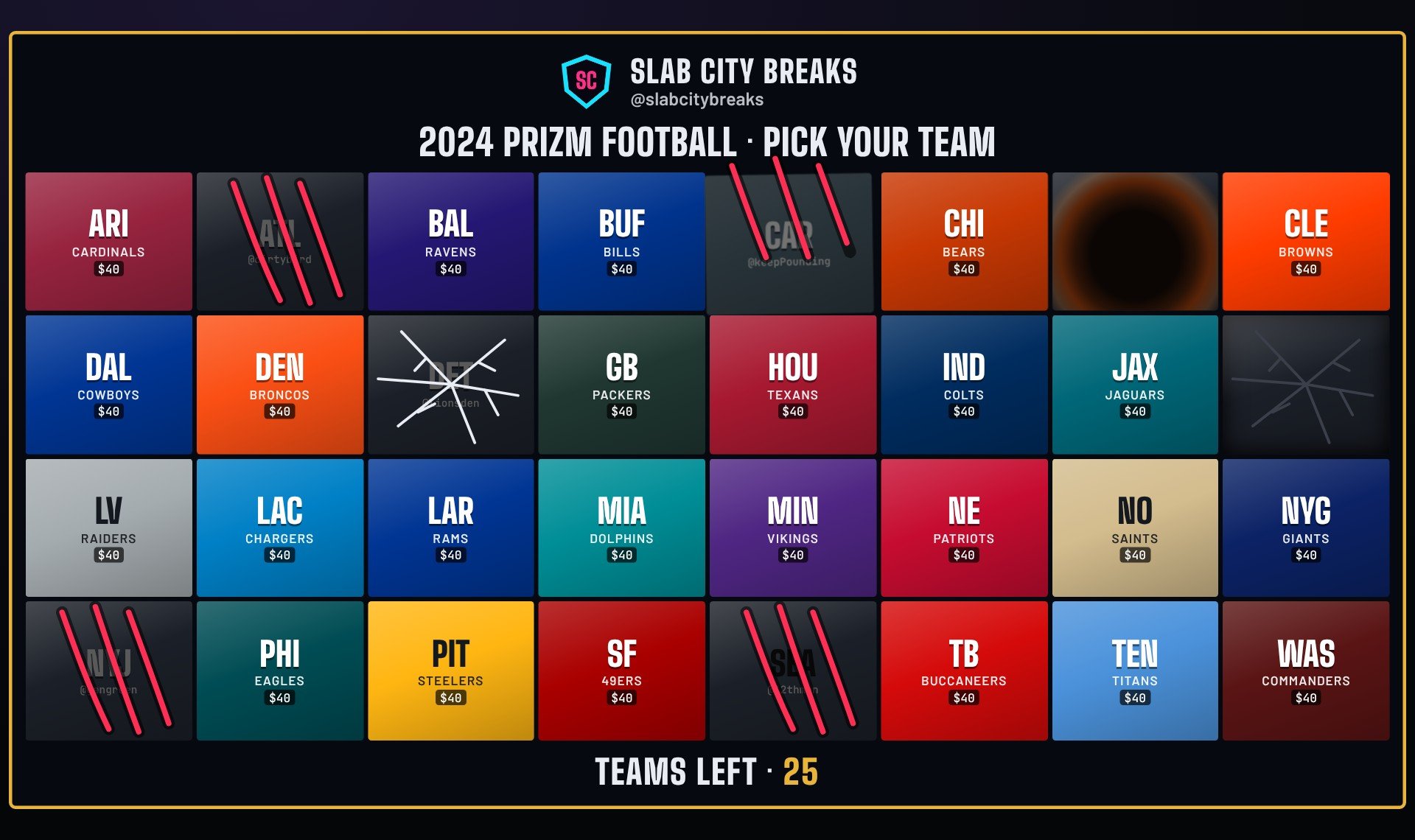
Your brand, front and center
Put your logo, name and handle on the board, the SOLD card and the SOLD OUT finish. Upload your own images for every team or spot, and pick any colors you like.
- Logo in a corner, above the title or under the counter
- Images, GIFs or short videos on tiles; they freeze when the spot sells
- No BreakBoard watermark
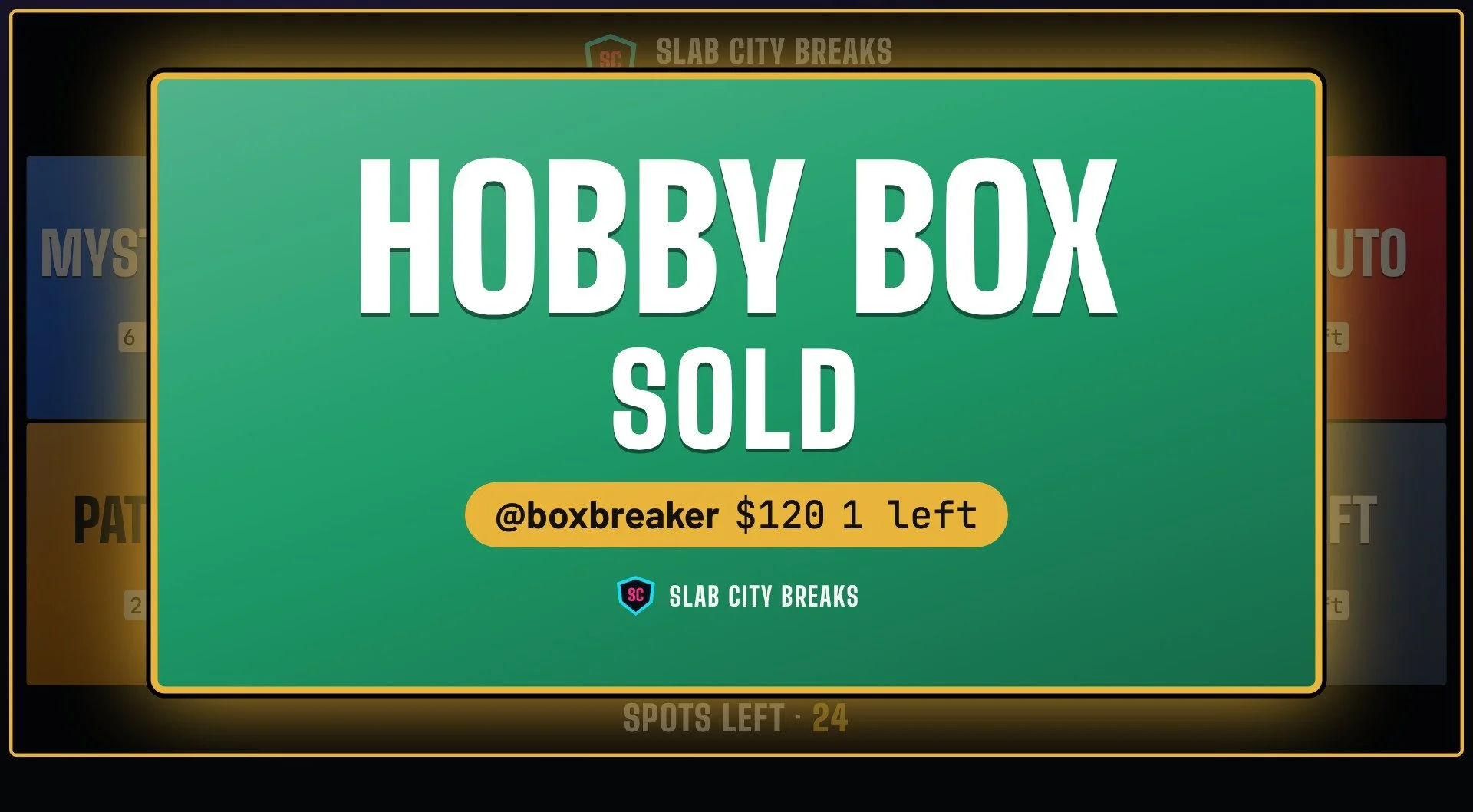
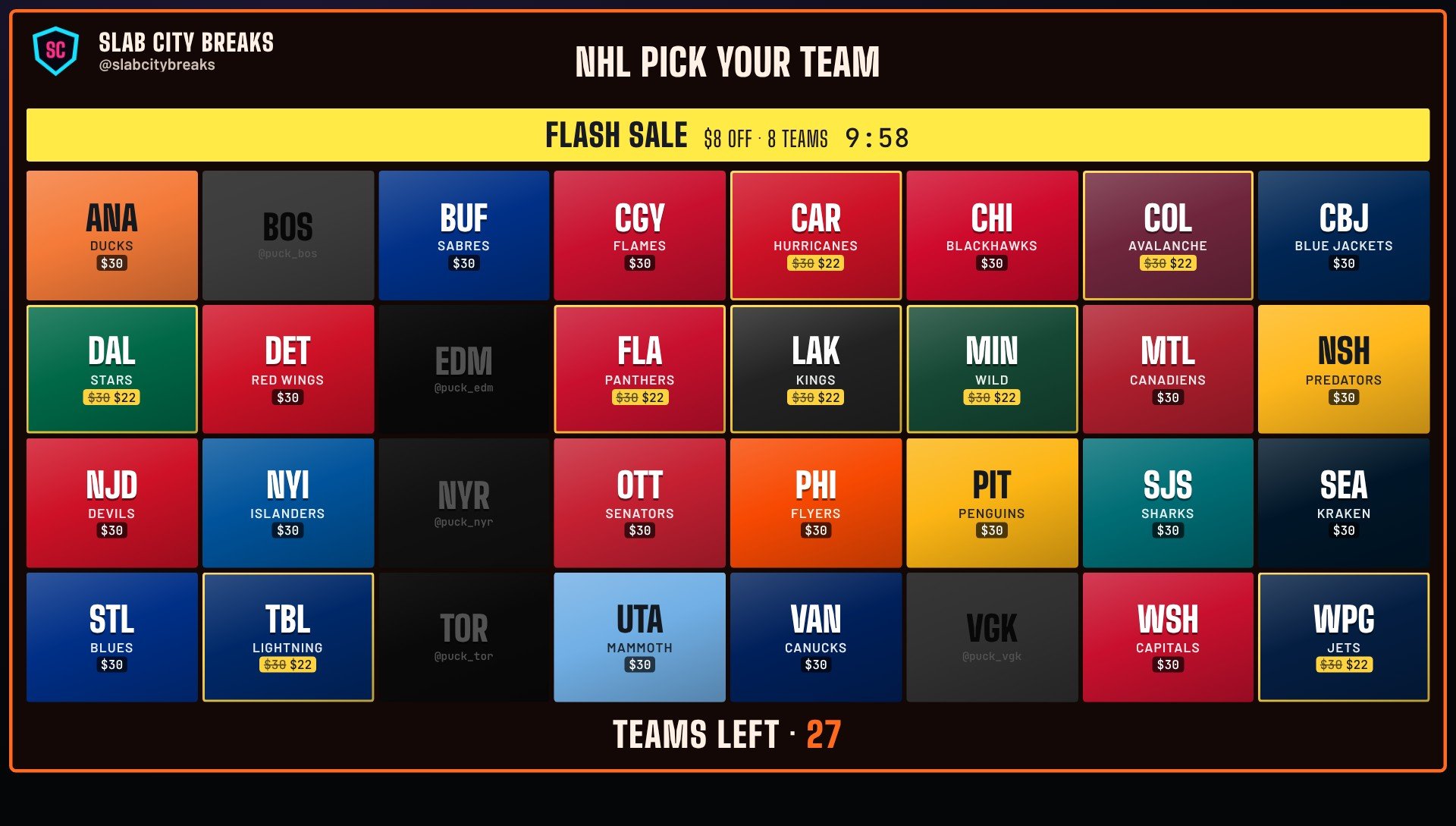
Flash sales that create urgency
Drop prices on a few teams or the whole board with a countdown banner on stream. Prices go back to normal on their own when time's up.
- Percent off, dollars off, or one flat price
- 5 to 30 minutes, or until you end it
- Sale prices crossed out right on the tiles
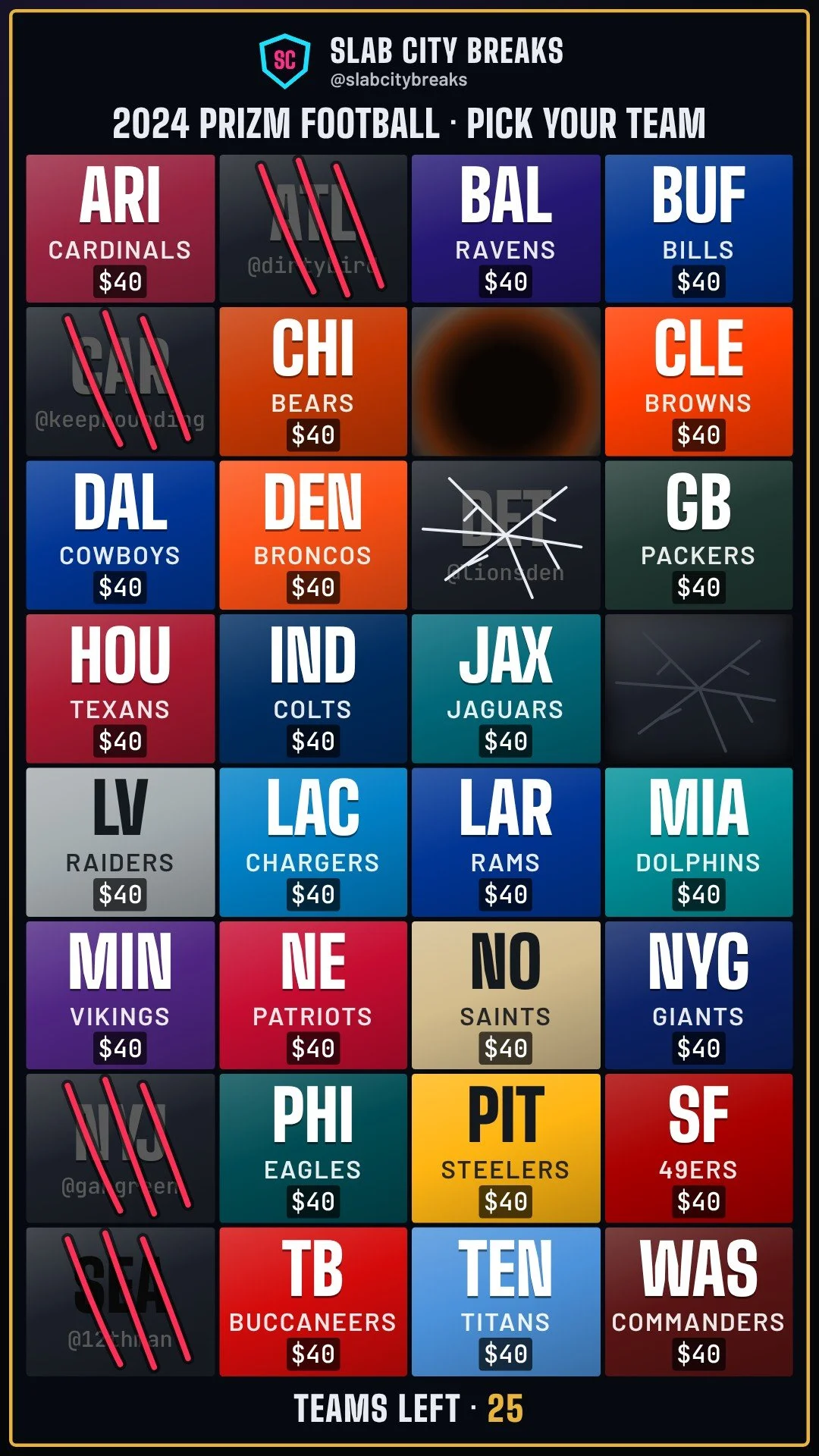
Fits any screen, even vertical
Pick a board shape and it matches everywhere: the control panel, OBS, and a TV the camera can see. Tall 9:16 boards fit phone-style streams, and the tiles resize to fill the shape.
- 16:9, 9:16, 4:3, 3:4 or square
- A TV link with a clean background, no white screen
- Hide the board and the screen stays clean
A finish worth celebrating
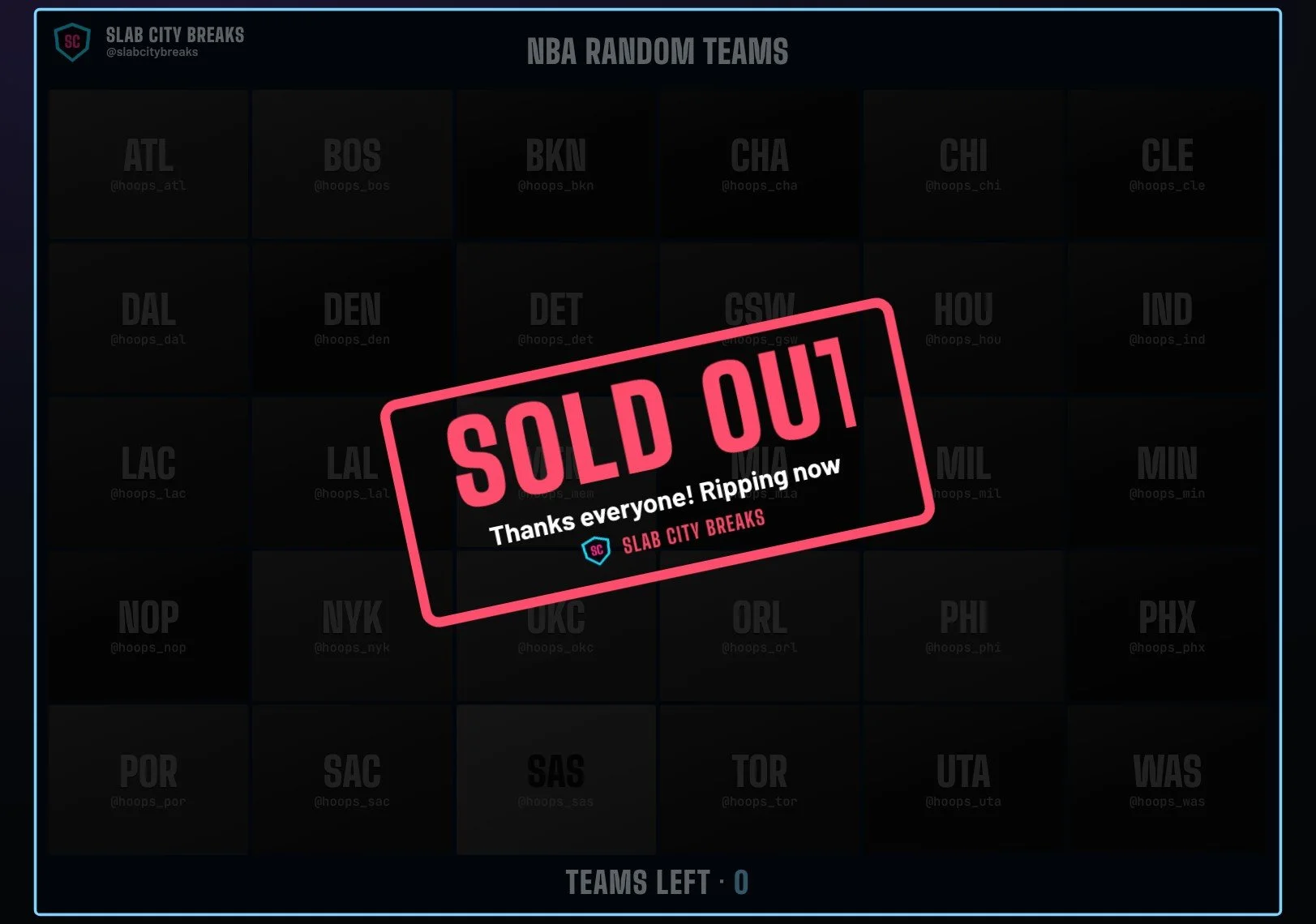
When the last spot sells, SOLD OUT takes over the board. Keep it up while you rip, or flash it for a few seconds. Pro lets you pick the words, shape, entrance, colors and size.
- Banner, card or rubber stamp
- Add a line like "Thanks everyone! Ripping now"
- Put it up or take it down with one key
A control panel built for live
Everything you need mid-break is one click away: sell, undo, flag a buyer, start a flash sale or fire a clip. Change a clip's size, spot or green screen and see it right on the preview, without guessing in OBS.
- Hide or show the board on stream with one key
- Flag problem buyers (only you see it, never your viewers)
- Pro: run BreakBoard on one computer and OBS on another
Make it look exactly how you want
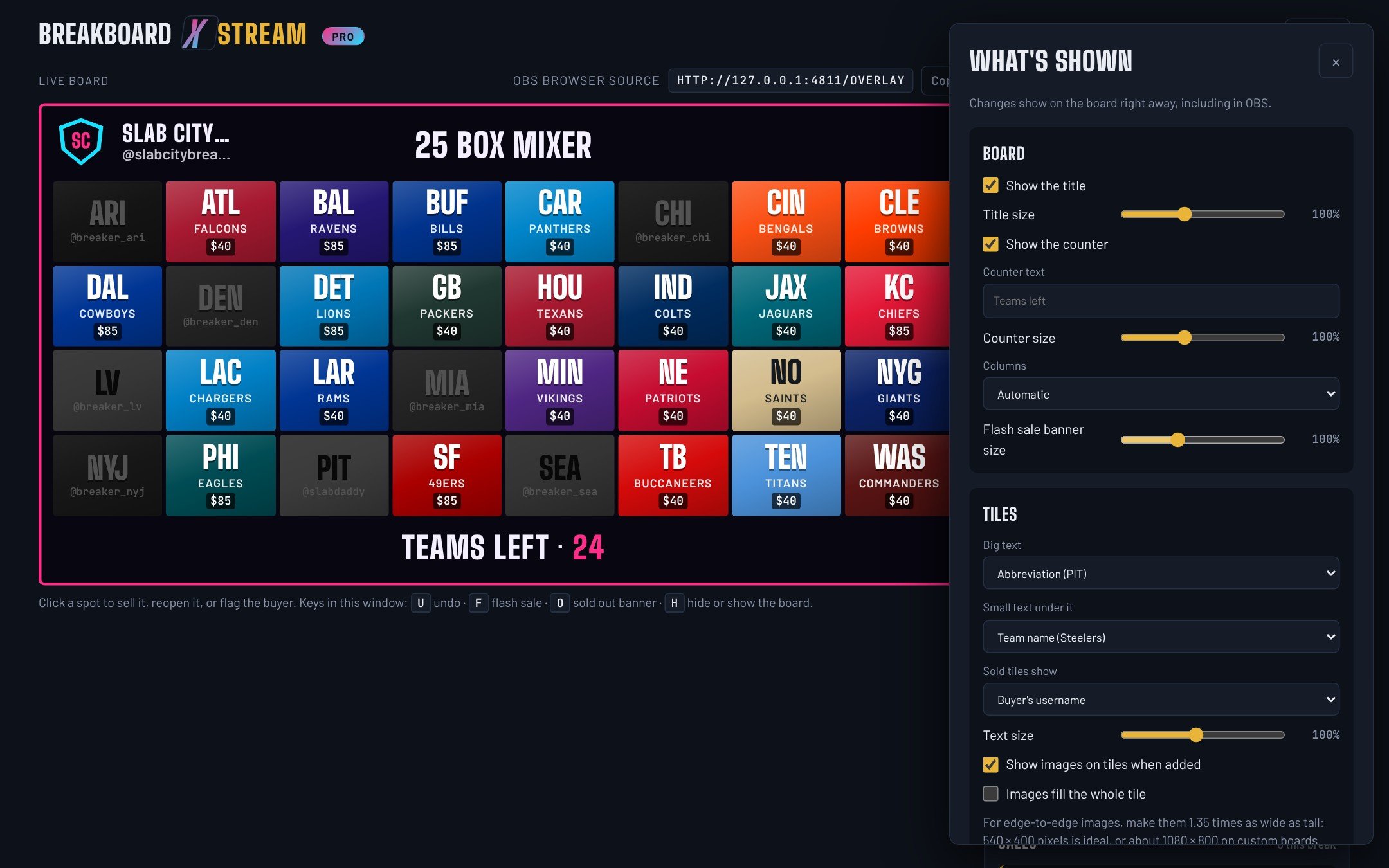
Choose what every tile says, how big everything is, and what the SOLD card shows. Make the buyer's name huge, show team names instead of abbreviations, or go color-only.
- Sizes for the title, counter, tiles, popup and SOLD OUT
- Every change shows up on stream right away
- Sales records: every sale sent to your own Google Sheet, or saved for Excel
How it works
On your stream in five minutes
Install
Download BreakBoard XStream for Mac or Windows and open it. Pick your board and set your prices.
Add it to OBS
Add a Browser source with the link BreakBoard shows you, like
http://127.0.0.1:4777/overlay. The background is see-through.Go live
Click a spot when it sells, or use a hotkey. The board, the SOLD card and the counter update on stream instantly.
Free and Pro
Start free. Go Pro when you're ready.
| Feature | Free | Pro |
|---|---|---|
| NFL, NBA, MLB and NHL boards | ✓ | ✓ |
| Big SOLD card, SOLD OUT banner, undo and hotkeys | ✓ | ✓ |
| Five stock themes | ✓ | ✓ |
| No BreakBoard watermark | — | ✓ |
| Your logo, name and handle on the board | — | ✓ |
| Board shapes: widescreen, tall 9:16, square | ✓ | ✓ |
| TV link with a clean background | ✓ | ✓ |
| Custom boards | 6 spots | Up to 150, with quantities |
| Your own team images, GIFs and videos, and tile colors | — | ✓ |
| Media clips on hotkeys, green screen, media packs | — | ✓ |
| Sale effects (claws, explosions and more) | — | Add-on packs |
| Any colors, and every text and size setting | — | ✓ |
| Flash sales with a countdown | — | ✓ |
| Sales sent to Google Sheets, or saved for Excel | — | ✓ |
| OBS on a different computer | — | ✓ |
Free
Everything you need to run a clean board on stream, with a small "Made with BreakBoard XStream" line.
- All four leagues, plus a 6-spot custom board
- SOLD card and SOLD OUT
- Stock themes, hotkeys and every board shape
Pro
Founder price for early supporters. One-time payment, with a year of updates included.
- Everything in Free, without the watermark
- Your branding, logos and colors
- Hype clips on hotkeys with green screen
- Big custom boards, flash sales and sales records
About
Built at a real break table
BreakBoard XStream started with my best friend's card breaks on TikTok Live. Every time a team sold, someone had to stop and update a spreadsheet so the board on stream would change, but there was no "WOW!"
I'm a musician. I know nothing about sports. But I'm also a maker who spends a lot of time creating custom creative solutions for interesting problems, so I built the tool we wished we had: a board that looks great on stream, easily updated the moment something sells, and stays out of the way while you're live.
It's made by a small team that uses it on real breaks. If there's something you want it to do, tell us.
Questions
Good to know
Does it connect to TikTok Shop or Whatnot automatically?
Not yet. You or a mod mark sales with a click or a hotkey, which works on any platform you stream on. Automatic TikTok Shop syncing is in development.
Which streaming apps does it work with?
Any streaming app that has a Browser source, including OBS Studio and Streamlabs. The board has a see-through background and fits the shape you pick.
Does it come with team logos?
No. BreakBoard ships with team names, abbreviations and colors. With Pro you can upload your own images, GIFs or short videos for each team or spot. Only use images you have the right to use.
Does it work for vertical streams?
Yes. Pick the tall 9:16 board shape and the tiles resize to fill it. The control panel, OBS and the TV link all show the same shape.
Can I show the board on a TV instead of in OBS?
Yes. Open BreakBoard's TV link in a browser on the TV or a computer hooked to it. It has a solid background instead of white, so hiding the board leaves a clean screen for clips.
What are add-on packs?
Extra sale effects and clip sets you can buy for Pro, like claws tearing into a tile when it sells. Load the pack file in BreakBoard and set which tiles use which effect. Pro works fully without them.
Mac or Windows?
Both. Download the version for your computer.
Can I run it on one computer and OBS on another?
Yes, with Pro. Turn it on in Settings and use the private link BreakBoard gives you in OBS on the other computer. Both need to be on the same Wi-Fi or network.
How do I unlock Pro?
After you buy, your license key arrives by email. Paste it into BreakBoard under Go Pro. It works offline once it's activated.
Is the free version really free?
Yes, free for as long as you like. It shows a small "Made with BreakBoard XStream" line on the board. Going Pro removes it and unlocks everything else.
Make your next break look like a pro show
One-time payment. Mac and Windows.